
Meta launched Muse in the United States on September 8, 2026. It is a personal AI agent that can browse websites, connect to apps, complete multi-step tasks, and keep working after you close the app. You can try it through muse.ai, the dedicated iOS or Android app, or WhatsApp. A limited free tier is available; reporting at launch lists Power at $20/month and Maximum at $100/month for heavier use.[1][2][3]
Quick recommendation: Start with one low-risk, read-only task. Do not connect your primary email, payment methods, health services, or smart-home controls until you have reviewed Muse’s permissions and activity log. Meta itself says agents can make mistakes and that prompt injection remains an open problem.[5]
Meta Muse at a glance
| Question | Answer |
|---|---|
| What is it? | A consumer AI agent that can take actions, not only answer questions. |
| Where is it available? | Rolling out in the United States on web, iOS, Android and WhatsApp. |
| Is it free? | Yes, with a usage limit that refreshes; Meta does not publish a fixed free quota on its product page. |
| Paid plans | Power: $20/month; Maximum: $100/month, according to launch reporting. |
| What can it do? | Browse, research, create documents and images, fill forms, monitor information, book appointments, send emails and make purchases with approval. |
| Does it run in the background? | Yes. It can continue working after the app closes. |
| Important limitation | This is an early US rollout, and giving any autonomous agent access to sensitive accounts creates real privacy and security risk. |
How to access Meta Muse
Option 1: Use Muse on the web
- Go to muse.ai.
- Sign in or create the account requested by the service.
- Review the privacy, training and permission settings before connecting another app.
- Give Muse a small task that does not require sensitive data.
- Open its activity log and check what it did before expanding access.
Option 2: Install the mobile app
Meta’s official Muse page links to Muse from Meta on Apple’s US App Store and to the Android app on Google Play. The rollout is US-only at launch, so the listing or service may not work for accounts outside the United States.[1][2]
Option 3: Use Muse in WhatsApp
Meta says people can message Muse directly in WhatsApp. The core agent conversation is available there, but CNBC reports that app-only features such as the feed and Ideas tool are not included in the WhatsApp version.[1][3]
If you cannot access Muse yet, do not install unofficial APKs or enter Meta credentials on third-party “Muse access” pages. Use the official Muse website or the app-store links on Meta’s product page.
A safe first-use checklist
Muse can reach websites and connected accounts, so onboarding deserves more care than a normal chatbot. Use this sequence:
- Begin without connectors. Ask Muse to research a public topic and produce a checklist or comparison.
- Add one read-only connection. If available, connect a low-sensitivity calendar or test account before your primary inbox.
- Keep write permissions off. Allow reading before allowing email sending, calendar changes or form submission.
- Require approval for every purchase and outbound message. Do not switch sensitive actions to “always allow” during early testing.
- Inspect the activity log. Compare the requested task with every site, file and action Muse used.
- Test memory controls. Ask what it remembers, remove an item, and verify that it disappeared.
- Review model-training settings. Meta says interaction data can be used for model training by default after sanitization, while users can opt out in Muse settings.[5]
- Disconnect unused services. Revoke access after the test instead of leaving broad permissions active.
What can Muse actually do?
Muse is more agentic than a standard question-and-answer bot. Meta says it can browse the web, connect to supported services, create documents and images, track goals, monitor information and perform multi-step tasks in the background.[2]
Practical examples include:
- researching options and turning the findings into a document or plan;
- monitoring a price, deadline, reservation or weather condition;
- filling out web forms;
- booking appointments or travel;
- reading connected email and calendar information;
- preparing or sending an email after approval;
- creating reminders, plans, documents and images;
- making an online purchase after the user approves it;
- building a connector when a service offers an API or command-line interface.
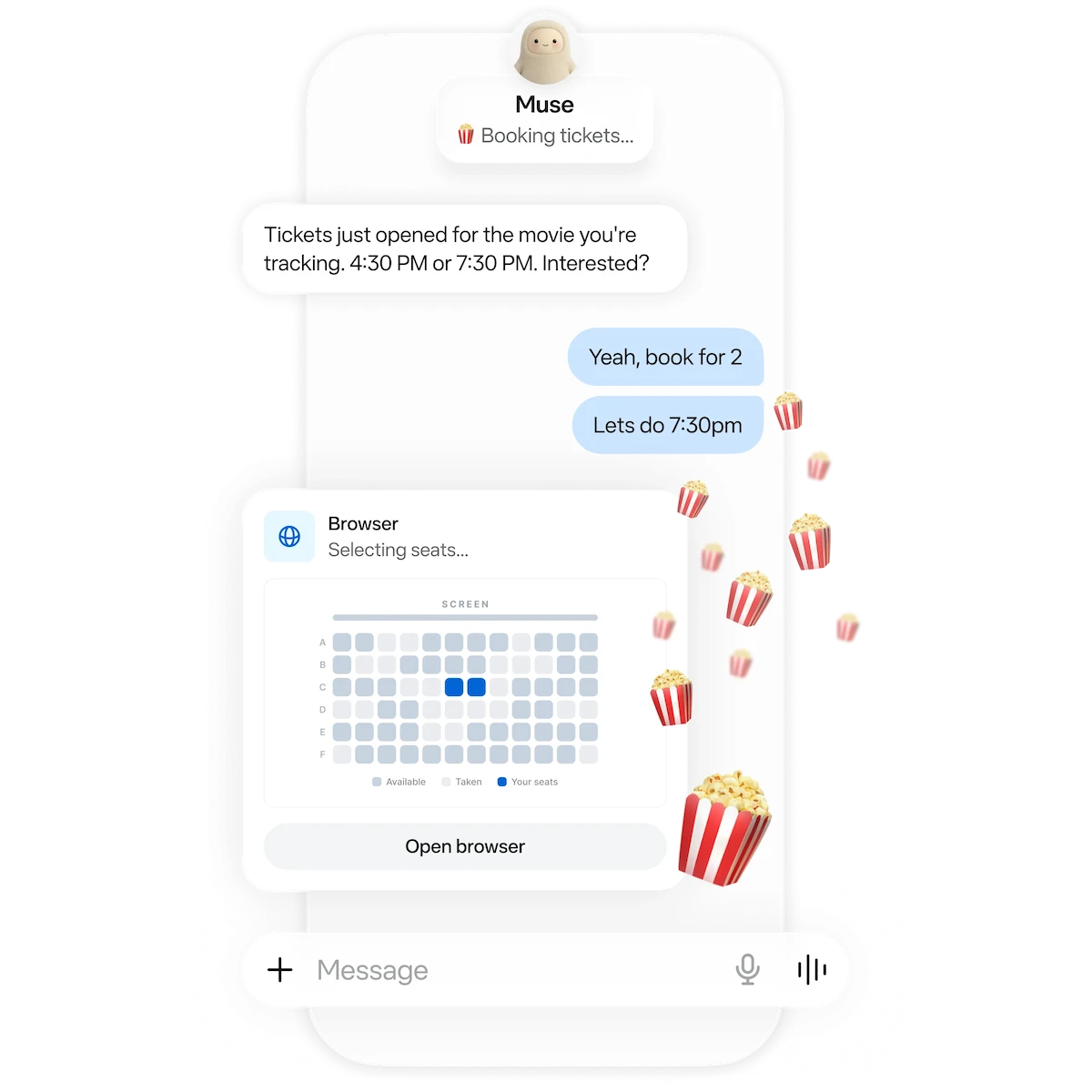
The important distinction is execution. A chatbot may explain how to book a reservation; Muse can open a browser, navigate the site and prepare the booking. Meta says it pauses for approval before sensitive actions such as sending an email or completing a purchase.[1][2]
Five starter prompts that keep risk low
Use prompts that are specific, reversible and easy to verify:
1. Public research brief
Research three reputable options for [product or service]. Compare price, cancellation terms and availability. Cite every source. Do not create an account, contact anyone or make a purchase.
2. Price monitor
Check the public price of [item URL] once per day for seven days. Notify me only if it falls below [amount]. Do not sign in, add it to a cart or buy it.
3. Planning document
Create a seven-day project plan for [goal] with daily tasks, time estimates and a checklist. Use only the information I provide in this chat.
4. Public appointment research
Find three available appointment options for [service] near [location]. Show the date, time, price and cancellation policy. Stop before entering personal details or confirming a booking.
5. Permission audit
List every app and service connected to this Muse, the access each connection has, and which actions require my approval. Do not change any setting.
Muse pricing: what is confirmed
Meta’s product page says Muse is free with a usage limit. When the free allowance is exhausted, a user can wait for it to refresh or upgrade; the page does not state a fixed number of free tasks.[2]
At launch, CNBC and TechCrunch reported two paid plans:
- Power — $20 per month
- Maximum — $100 per month
Both plans provide more usage, but the public launch materials reviewed here do not provide a simple task-by-task allowance. Check the live meter and checkout page before subscribing because limits, taxes and app-store billing can change.[3][4]
TechCrunch also reports that Muse asks for a payment card during setup even when a person starts on the free tier. Review the checkout terms in your own account rather than assuming the free tier can never trigger a billing flow.[4]
How Muse handles passwords, payments and approvals
Meta says each user’s Muse runs in a dedicated cloud virtual machine with its own browser. A separate system called Sentinel controls connector actions and network access. Credentials are stored outside the agent’s runtime area, and Muse receives surrogate tokens rather than the real secrets.[5]
For sensitive actions, Sentinel can allow, deny or ask the user. Approval requests are shown through a structured interface rather than as ordinary chat messages, and permissions can be one-time, task-scoped, time-limited or ongoing.[5]
For purchases, Meta says:
- checkout uses Link by Stripe at launch;
- a single-use card number is passed to the merchant instead of the user’s regular card number;
- each purchase requires human approval;
- Shop Pay and 1Password support are planned but were not available at launch.[1][5]
These controls reduce risk; they do not make autonomous browsing error-proof.
Privacy and security: what to know before connecting accounts
Meta says Muse does not send conversations or virtual-machine data to its advertising systems. However, its technical explanation also says Muse’s browsing can indirectly influence advertising—for example, a merchant visited by Muse may use that visit for later ad targeting.[5]
Meta also says it sanitizes interaction trajectories before using them to train future models, and users can opt out in settings. Its planned Muse Confidential VM is intended to prevent Meta from accessing data inside the virtual machine, but that capability is promised for later in 2026 and is not the launch architecture.[1][5]
Independent coverage emphasizes the trust trade-off: Muse becomes useful by connecting to email, calendars, payments and other sensitive services. TechCrunch notes that Meta’s technical claims still need deeper investigation by security experts, while CNBC describes the wider scrutiny facing consumer AI agents.[3][4]
The practical conclusion is simple: treat Muse like a new contractor with computer access, not like a search box. Give it the minimum access required, review irreversible actions and keep your own records of important transactions.
Muse versus a normal chatbot
| Capability | Normal chatbot | Muse |
|---|---|---|
| Answer questions | Yes | Yes |
| Create text and images | Usually | Yes |
| Browse public websites | Sometimes | Yes |
| Connect to personal apps | Limited/varies | Yes, with connectors |
| Take multi-step actions | Limited | Core feature |
| Continue after app closes | Usually no | Yes |
| Ask approval before sensitive actions | Product-dependent | Built into Muse’s permission model |
| Maintain goals and proactive monitoring | Limited | Yes |
Muse will be most useful when a task requires repeated checking or several connected steps. For a one-off factual question, a simpler assistant may be faster and require less access.
Is Meta Muse worth trying?
Yes, if you are in the US and want to test a consumer agent—but begin with low-risk work. Its strongest differentiator is the ability to continue multi-step tasks across the web and connected services. Its biggest weakness is the same thing: useful automation requires meaningful access to personal accounts and data.
Use the free tier to test public research, planning and monitoring first. Consider a paid plan only after the usage meter shows that Muse reliably saves enough time to justify the cost. Do not connect high-impact services merely to explore the interface.
Frequently asked questions
Is Meta Muse available worldwide?
No. Meta says Muse is rolling out in the United States first on iOS, Android, the web and WhatsApp. It has not published a confirmed worldwide rollout date in the launch announcement.[1]
Is Meta Muse free?
Muse has a free tier with a usage limit. Meta says users can wait for the allowance to refresh or upgrade after reaching the limit. Launch reporting lists Power at $20/month and Maximum at $100/month.[2][3]
Can Muse send emails and make purchases?
Yes, when the relevant account or service is connected. Meta says Muse asks for approval before sensitive actions such as sending an email or buying something.[1][2]
Does Muse see my password or full card number?
Meta says passwords and tokens are kept in a separate credential store and are not visible to the main agent. For supported checkout, a single-use card number is used rather than the regular card details.[2][5]
Can Meta use my Muse activity to train AI?
Meta’s technical post says sanitized interaction trajectories may be used for training by default, and users can opt out in Muse settings.[5]
Is Muse Confidential VM available now?
No. Meta says the confidential mode is planned for later in 2026. The launch version uses a dedicated isolated VM, but Meta’s technical post says the current architecture does not technically prevent Meta access when needed to support, secure or operate the service.[5]
Can Muse keep working after I close the app?
Yes. Meta says background operation is a core feature, and Muse can notify the user when work is complete or approval is required.[1][2]
Sources
[1] https://about.fb.com/news/2026/09/introducing-muse-personal-ai-agent — Introducing Muse: Meta Newsroom
[2] https://ai.meta.com/muse — Muse: Meta AI product page
[3] https://www.cnbc.com/2026/09/08/meta-personal-ai-agents-public-reckoning-privacy-safety.html — Meta launches Muse personal AI agent — CNBC
[4] https://techcrunch.com/2026/09/08/meta-debuts-its-muse-ai-agent-will-consumers-trust-it — Meta debuts Muse AI agent — TechCrunch
[5] https://security.muse.ai — How We Built Safety Into Muse — Meta AI Research