
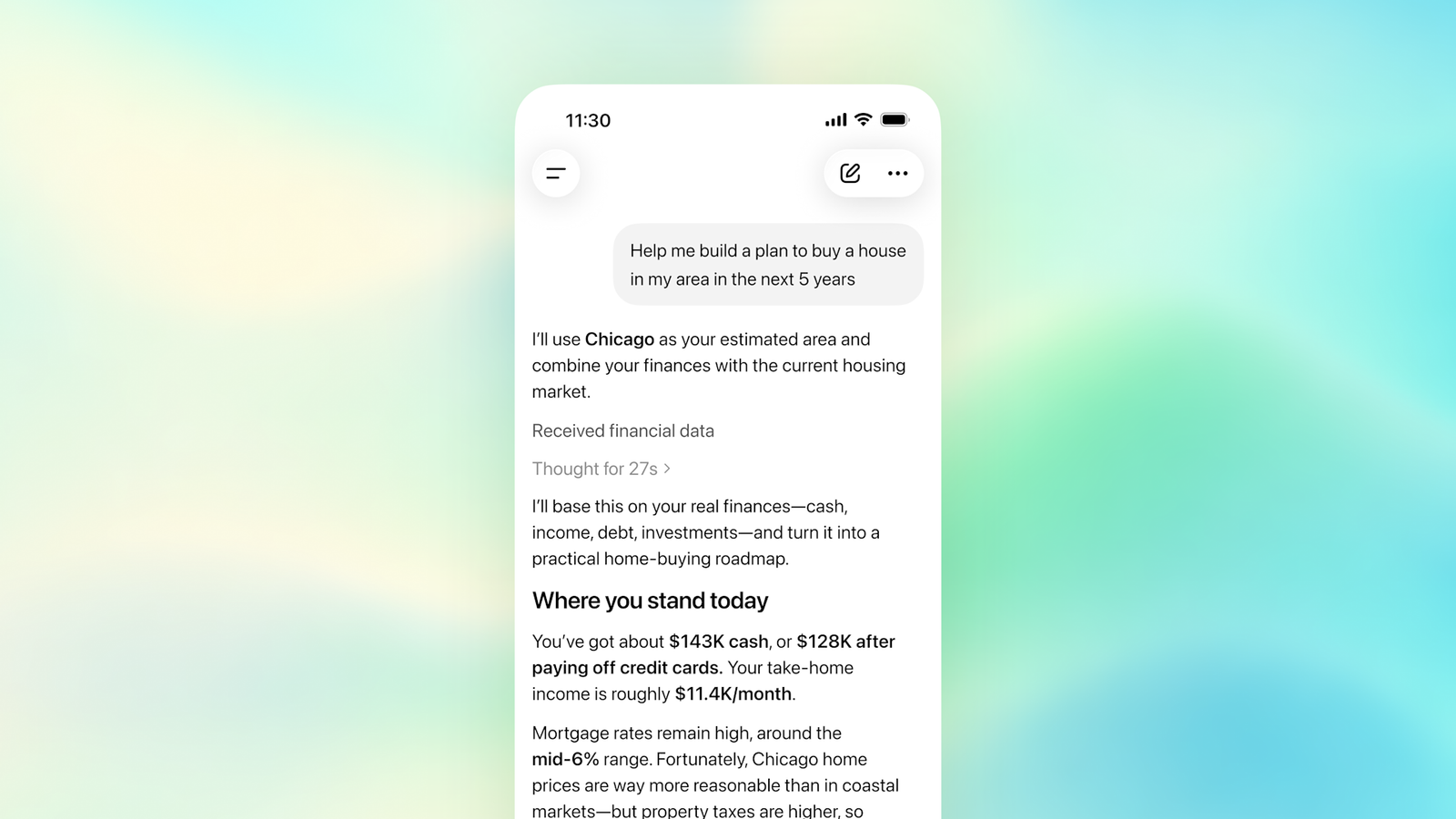
Quick answer: ChatGPT Finances is rolling out to Free and Go users in the United States on web, iOS and Android as of October 2, 2026. It can connect eligible bank, card, loan and investment accounts through Plaid, then help you review spending, subscriptions, bills, net worth and investments. The rollout is gradual, so an eligible account may not show Finances immediately.[1]
- Open ChatGPT and select Finances in the sidebar.
- Select Get started, then Connect with Plaid.
- Authenticate with your financial institution and choose only the accounts you want to share.
- Return to ChatGPT and wait for the initial sync.
- Before relying on any result, check the source account and last-sync date.
Who can use ChatGPT Finances now?
OpenAI’s October 2 release note says Finances is rolling out to Free and Go users in the U.S. on the web and in the iOS and Android apps.[1] The dedicated Finances help article still says Plus and Pro at the top at the time of this check, so the release note is the newer availability announcement and the documentation appears to be catching up.[2]
| Requirement | Current status |
|---|---|
| Region | United States |
| Plans | Free and Go rollout announced; Plus and Pro were already supported |
| Platforms | Web, iOS and Android |
| Bank connection | Plaid |
| Credit report connection | Experian, separate from the Plaid bank connection |
| Can ChatGPT move money or trade? | No |
If the Finances option is missing, first update the mobile app or check ChatGPT on the web. A missing option does not necessarily mean your plan is excluded: OpenAI describes this as a rollout, not an instant release to every eligible account.[1]
How to connect a bank account step by step
- Open Finances. Select it from the ChatGPT sidebar and choose Get started. You can also type
@Finances, connect my accountsin a conversation.[2] - Select Connect with Plaid. Plaid handles the connection between ChatGPT and a supported financial institution.
- Authenticate with the institution. Complete any login or multi-factor authentication inside the institution or Plaid connection flow, not in a normal chat message.
- Choose the minimum accounts needed. You do not have to connect every available account.
- Return to ChatGPT. ChatGPT begins syncing and categorizing the available data. OpenAI says this usually takes a few minutes, although rare cases can take several hours.[2]
- Check the sync status. The dashboard shows the last sync time and whether an account needs attention.
What can ChatGPT Finances actually do?
The dashboard can show available spending categories, recurring bills, subscriptions, upcoming payments, net-worth changes, portfolio distribution and market updates. The exact widgets depend on the data supplied by connected institutions.[2]
Useful questions to try:
@Finances What subscriptions and recurring charges am I paying for?@Finances Compare this month's spending with my recent monthly trend.@Finances Which transactions did you classify as dining, and which may be transfers or reimbursements?@Finances What bills are expected in the next 14 days?@Finances Show my portfolio allocation, then list any missing or stale account data.@Finances Build a debt-payoff comparison, but state every interest-rate assumption and do not recommend a transaction.
Connected institutions may provide incomplete history or omit fields such as transactions, holdings, APRs or due dates. Transfers, reimbursements and duplicate pending transactions can also distort spending categories, and OpenAI explicitly warns that AI can make mistakes.[2]
What ChatGPT Finances cannot do
ChatGPT Finances cannot move money, pay bills, make trades, change account settings, change retirement contributions, open or close accounts, or file taxes. It is an analysis and planning interface, not a banking control panel.[2]
It is also not a fiduciary, registered investment adviser, broker-dealer, tax preparer or law firm. Treat its output as a starting point to inspect, not as authorization for a legal, tax or investment decision.[2]
Privacy and safety checklist before connecting
- Turn on multi-factor authentication. Financial context makes account security more important.
- Review Data Controls first. Finances conversations follow the model-training setting selected for the ChatGPT account.[2]
- Connect only what you need. Start with one low-risk account rather than linking every bank, card and brokerage at once.
- Do not paste credentials into chat. Complete sign-in and identity checks in the designated Plaid, institution or Experian flow.
- Check dates and source records. A dashboard may be stale or incomplete; compare important numbers with the institution’s own statement or app.
- Ask ChatGPT to show its inputs. For a surprising answer, ask which accounts, transactions and dates it used.
- Do not act on one AI answer. Independently verify tax, credit, debt and investment conclusions.
- Know what disconnecting does. Removing a connection does not delete information already present in conversation history; delete those chats separately if needed.[2]
How to disconnect ChatGPT Finances and delete connected data
- Open Settings → Apps → Finances, or open the Accounts tab on the Finances page.
- Remove an individual account or disconnect Finances.
- Review and delete any financial memories from the Finances page.
- Delete finance conversations separately if you do not want them retained in chat history.
- If you connected an Experian credit report, disconnect it separately from the Plaid bank connection.
OpenAI says that after a Plaid account is removed, synced account data is deleted from OpenAI’s systems within 30 days and data associated with that ChatGPT connection is deleted from Plaid within 30 days, subject to the stated policies. Past conversations are not removed automatically.[2]
What to do if Finances is missing or incomplete
- No Finances tab: confirm you are in the U.S., update the app, check web access and wait for the gradual rollout.
- Bank not listed: search for the institution under another name. It may not be supported or may not expose the data Finances needs.
- Action required: sign in directly to the institution, complete any security prompt, then refresh the connection.
- Missing transactions: check the last-sync time and remember that institutions decide how much history and which data fields they provide.
- Wrong spending category: ask ChatGPT to list the included transactions and identify transfers, repayments, refunds or duplicate pending charges.
Frequently asked questions
Is ChatGPT Finances free?
OpenAI announced on October 2, 2026 that Finances is rolling out to ChatGPT Free and Go users in the United States. Availability may not appear on every eligible account immediately.[1]
Can ChatGPT withdraw money or make trades?
No. OpenAI says Finances cannot move money, pay bills, make trades or change account settings.[2]
Does ChatGPT see my full bank-account number?
OpenAI says ChatGPT cannot see full account numbers. It can access connected balances, transactions, investments and liabilities needed to provide the feature.[3]
Is a credit-score connection required?
No. Experian credit data and Plaid financial accounts are separate connections, and either can be used without the other.[2]
Are Finances chats used for training?
They follow the model-training setting selected in ChatGPT Data Controls. Review that setting before connecting sensitive information.[2]
Last checked: October 3, 2026. Availability and controls can change during rollout.